Start selling today.

E-commerce

Restaurant

OWN DATABASEOWN SUBDOMAINPAGE BUILDERSTOCK PER VARIANTDOLLARS OR RIELTHEMES AS DATAMOBILE STOREFRONTORDER PIPELINE
HOW IT CONNECTS

One order, from shop to shift

Follow order MS-48004 through the real screens: bought on the storefront, paid and packed in the admin, handled by the team on shift in the Staff Portal. One account, three systems, nothing to copy across.

  1. 01 · STOREFRONTYOUR CUSTOMER

    They shop and pay on your own store

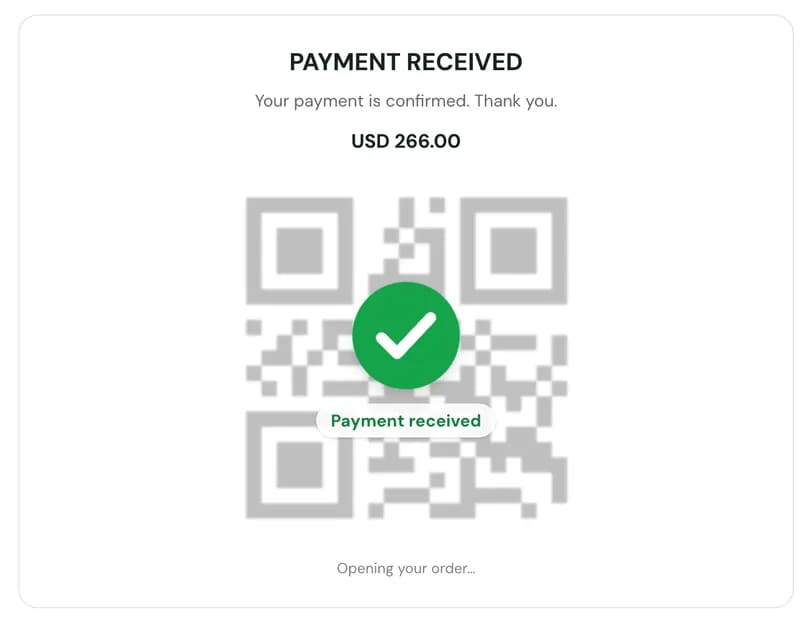
    Sokha finds a hoodie and jeans on Kanha Studio, checks out and pays USD 266 by scanning an ABA KHQR code. No transfer slip, no waiting for someone to check.

    • Your own online shop, laid out from blocks you arrange
    • Customers sign in and keep a cart and a wishlist
    • ABA KHQR: the order confirms itself the moment the money lands
    • An order page to follow it: placed, processing, packed, shipped, delivered
    MS-48004 · USD 266.00 · PAID
    kanha-studio.my-store.shop
    The Kanha Studio storefront home page, built on My Store
    ABA KHQR payment for USD 266.00, with a Payment received tick
    ABA KHQR payment for USD 266.00, with a Payment received tick
  2. PAID ORDER LANDS IN THE ADMIN
    02 · ADMIN CONSOLEYOU

    It lands in your admin, already paid

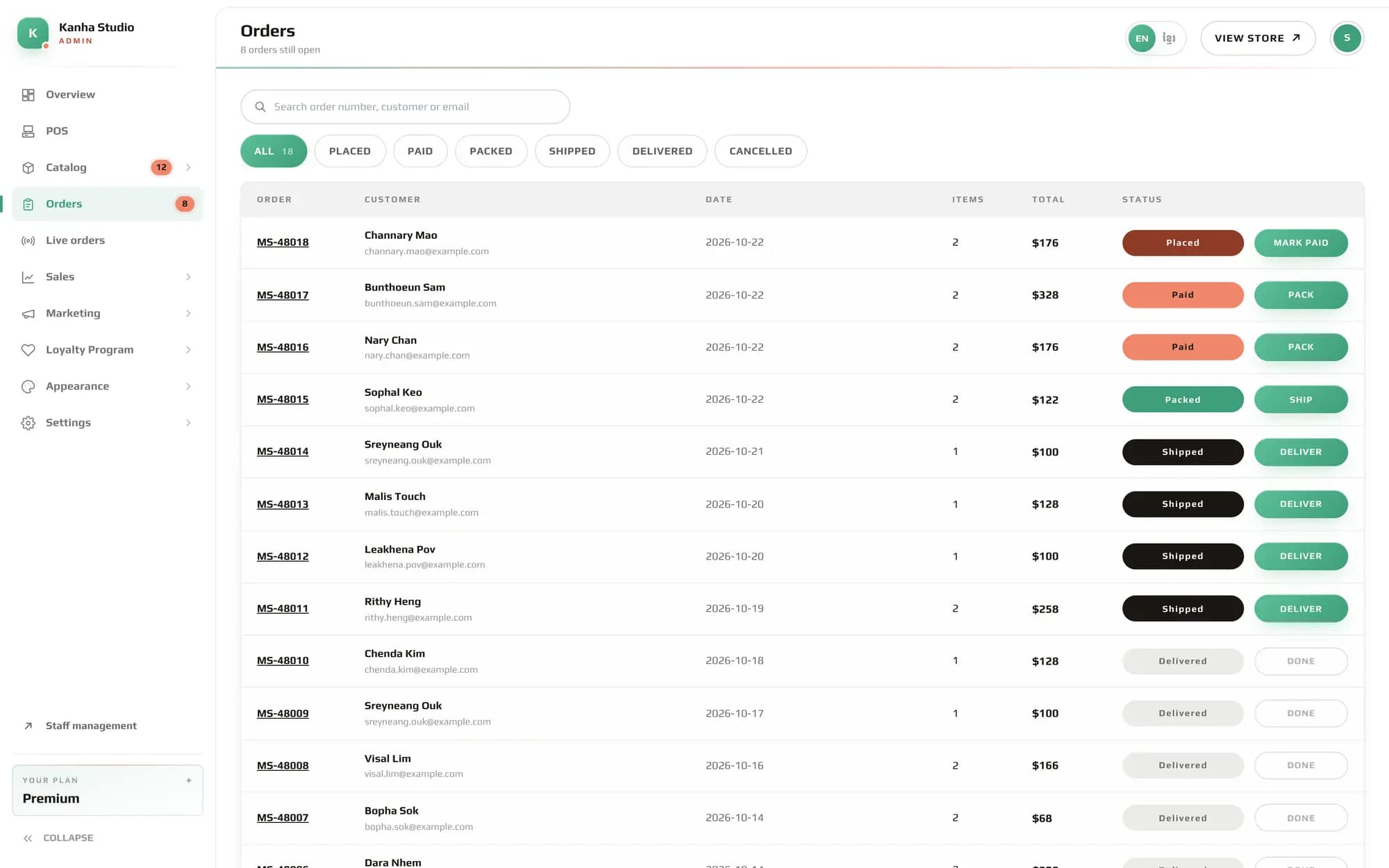
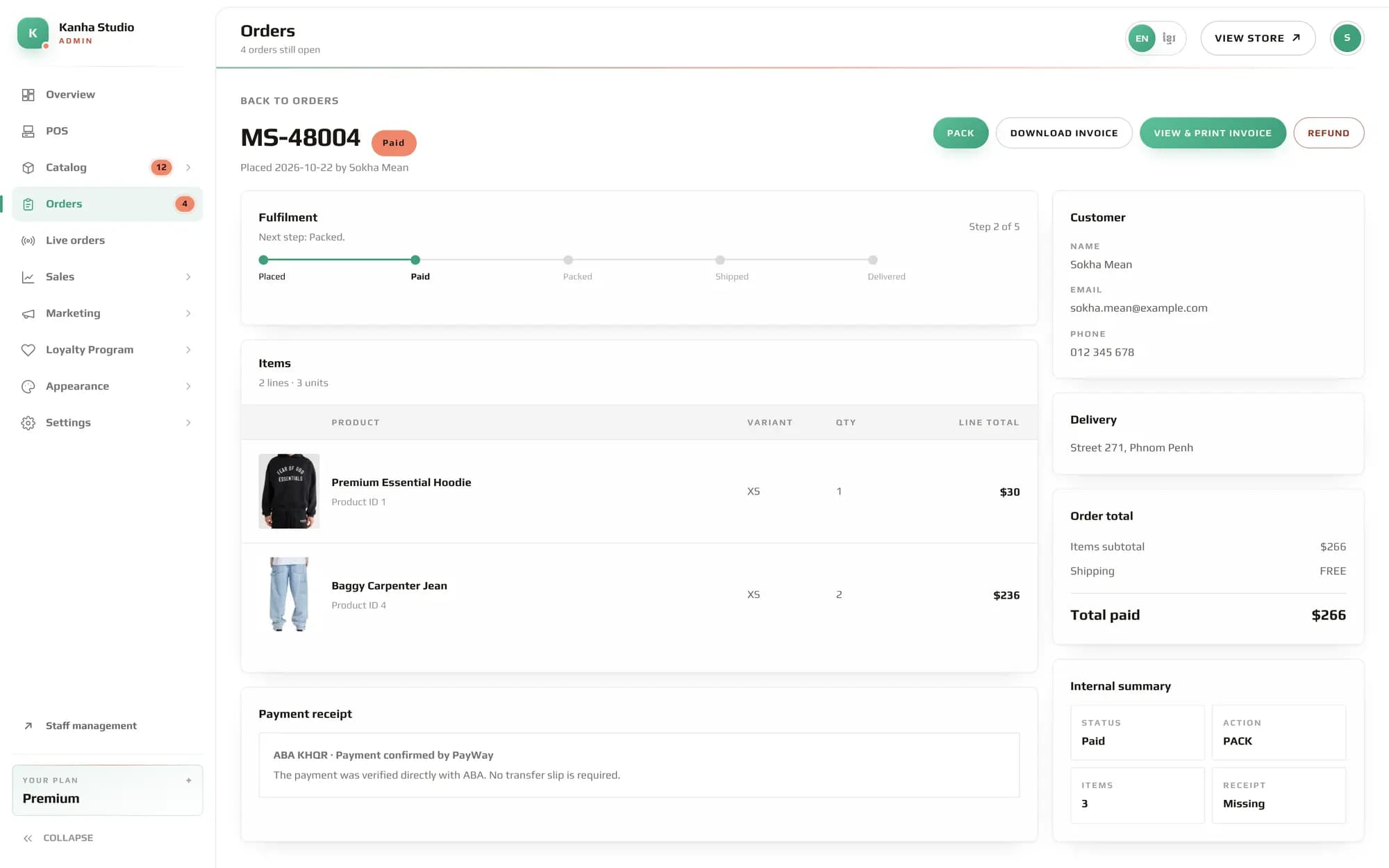
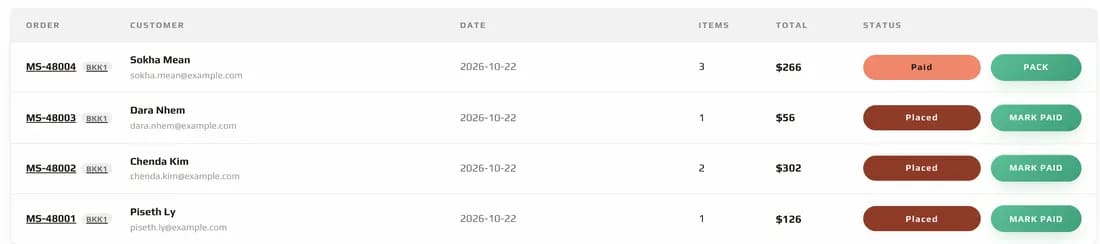
    MS-48004 shows up at the top of Orders marked Paid, with the PayWay receipt attached. One button moves it on to packing.
    • Every order in one list, by branch and by status
    • PayWay payments are marked paid for you, receipt included
    • Pack, ship and deliver, one step at a time
    • Invoices to download or print, and refunds when you need them
    PAID → PACKED → SHIPPED → DELIVERED
    admin · Kanha Studio · Orders
    The My Store admin console showing order MS-48004: paid, two items, customer and delivery details and the PayWay receipt
    The Orders list: MS-48004 paid and ready to pack, three more orders placed
    The Orders list: MS-48004 paid and ready to pack, three more orders placed
  3. YOU DECIDE WHO GETS IN, AND WHERE THEY CLOCK IN
    03 · STAFF PORTALYOUR TEAM

    You decide who gets in, and where they clock in

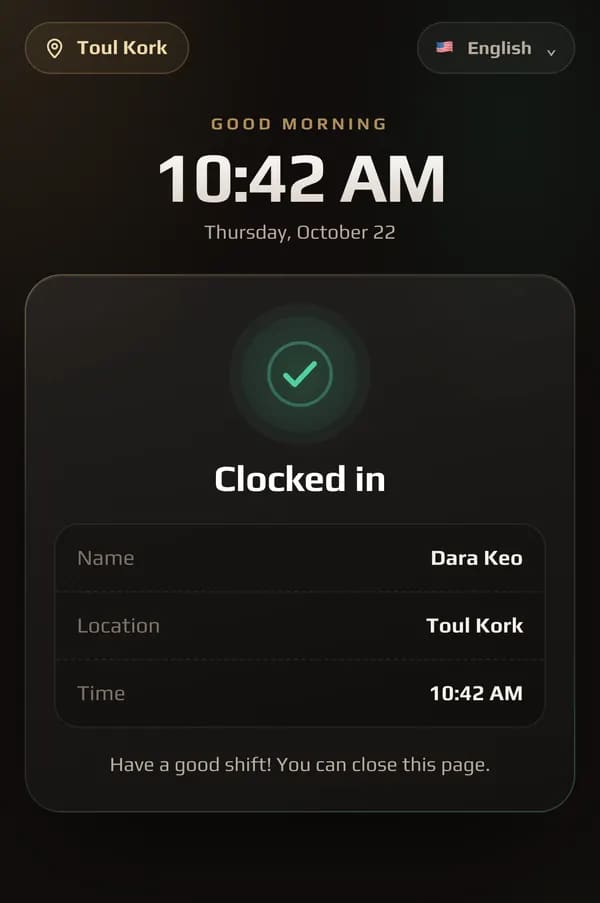
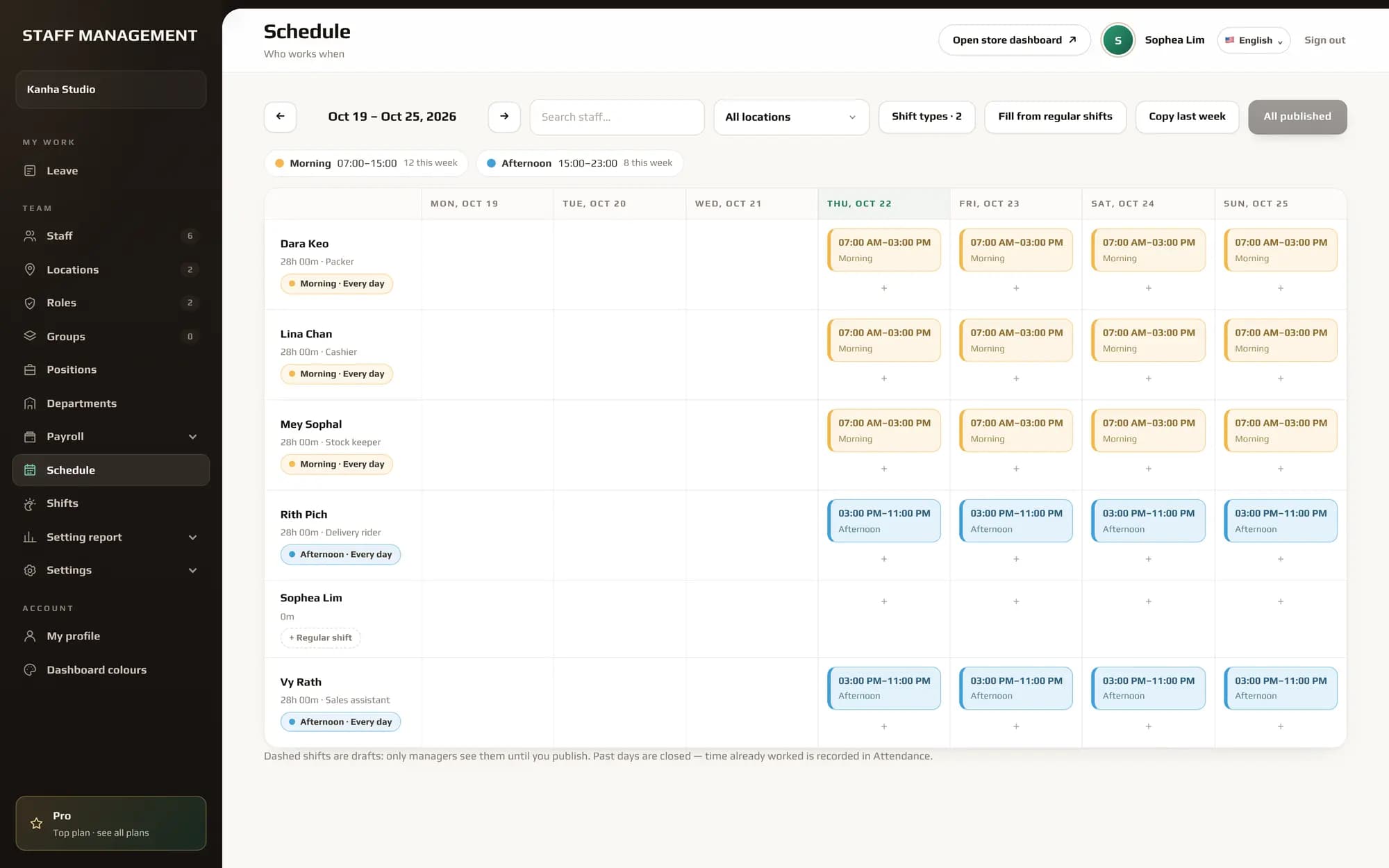
    In the Staff Portal you choose who may open the admin dashboard and what each person sees there. You also choose where staff clock in and out: Lina and Dara clocked in at Toul Kork by scanning its QR code, so you know who is in to pack the order.

    • Roles decide who can open the admin dashboard, and which menus
    • Clock in and out by QR code at the door, own phone at the location, or the shop tablet
    • Each location has its own QR code and range, so a punch only counts there
    • Live attendance: who is in, since when, and how they clocked in
    LINA CHAN · MORNING SHIFT · CLOCKED IN BY QR
    staff · Kanha Studio · Schedule
    The Staff Portal schedule for Kanha Studio: morning and afternoon shifts for the week
    Attendance today: Lina Chan and Dara Keo clocked in by QR at Toul Kork, still in
    Attendance today: Lina Chan and Dara Keo clocked in by QR at Toul Kork, still in
OUR CLIENTS

Shops already open on My Store.

Real storefronts, run by real merchants. Every one of them was set up in the same console you would use.


La-Felle Perfume
La-Felle Perfume
Jet Store
Jet Store
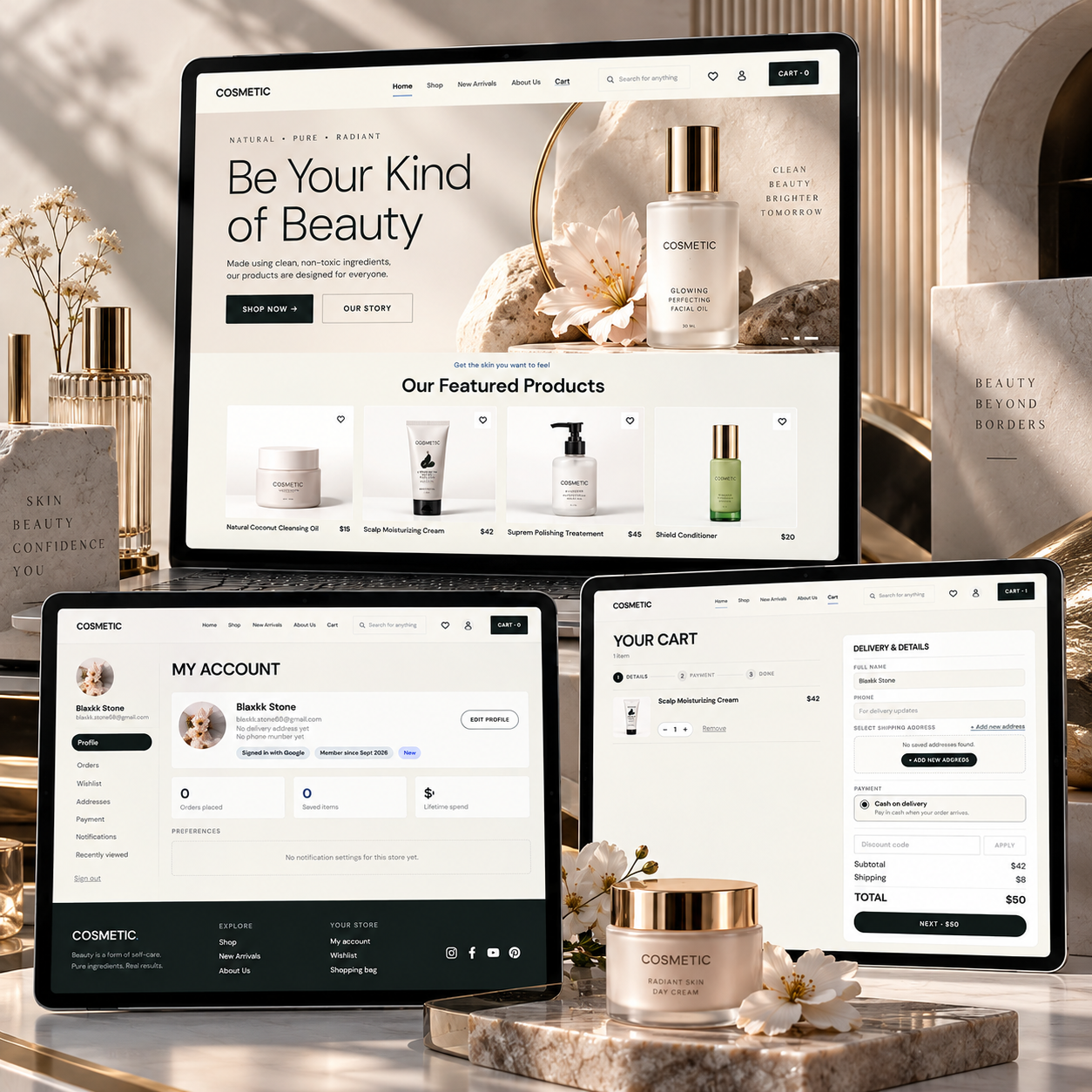
Cosmetic
Cosmetic
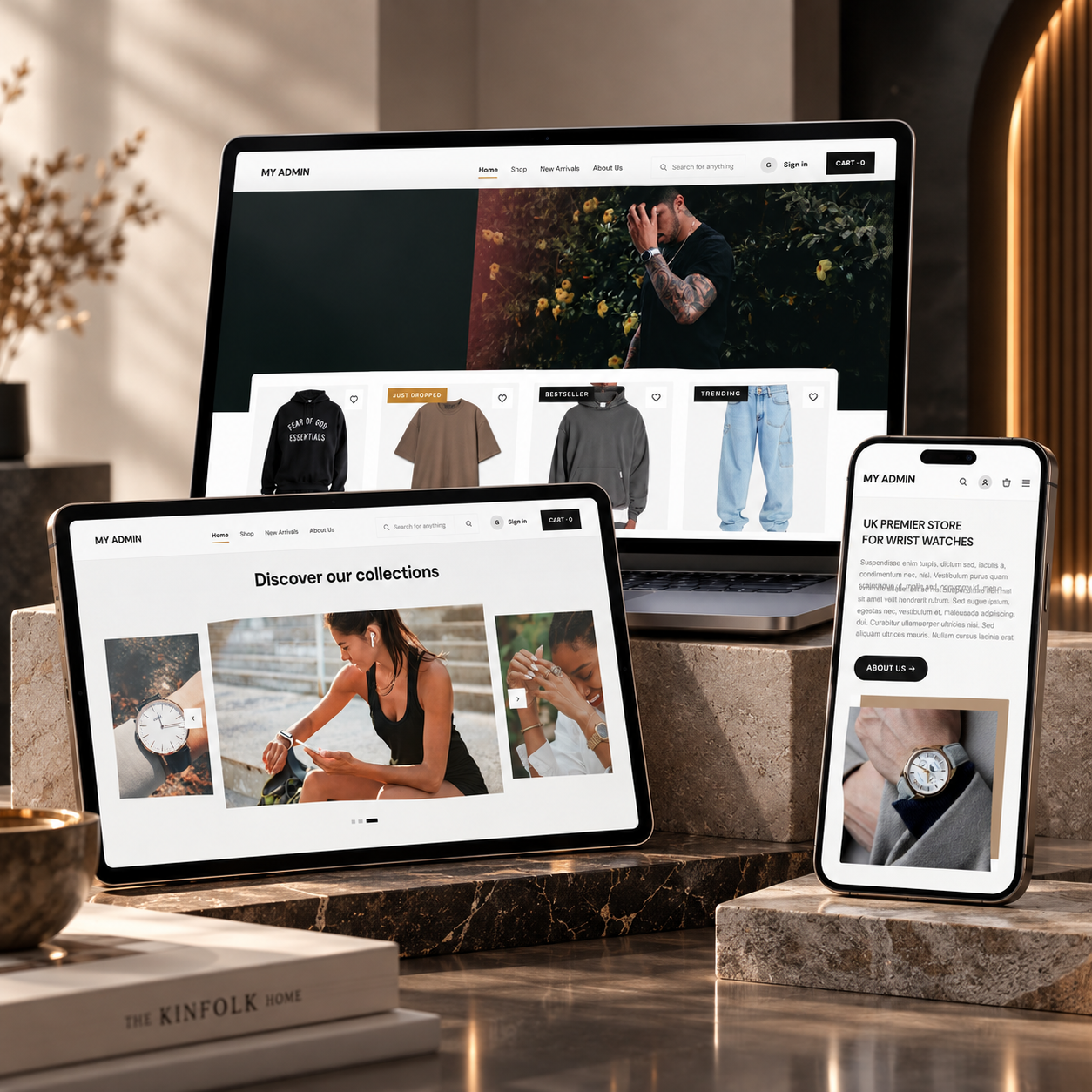
My Admin 1
My Admin 1
My Admin 2
My Admin 2
FOOD & DRINK

Built for service

A better service, from first scan to final bill.

Give guests a clear menu at the table. Let each order reach the kitchen live, keep bookings and table history close at hand, and settle the bill whenever your guests are ready.
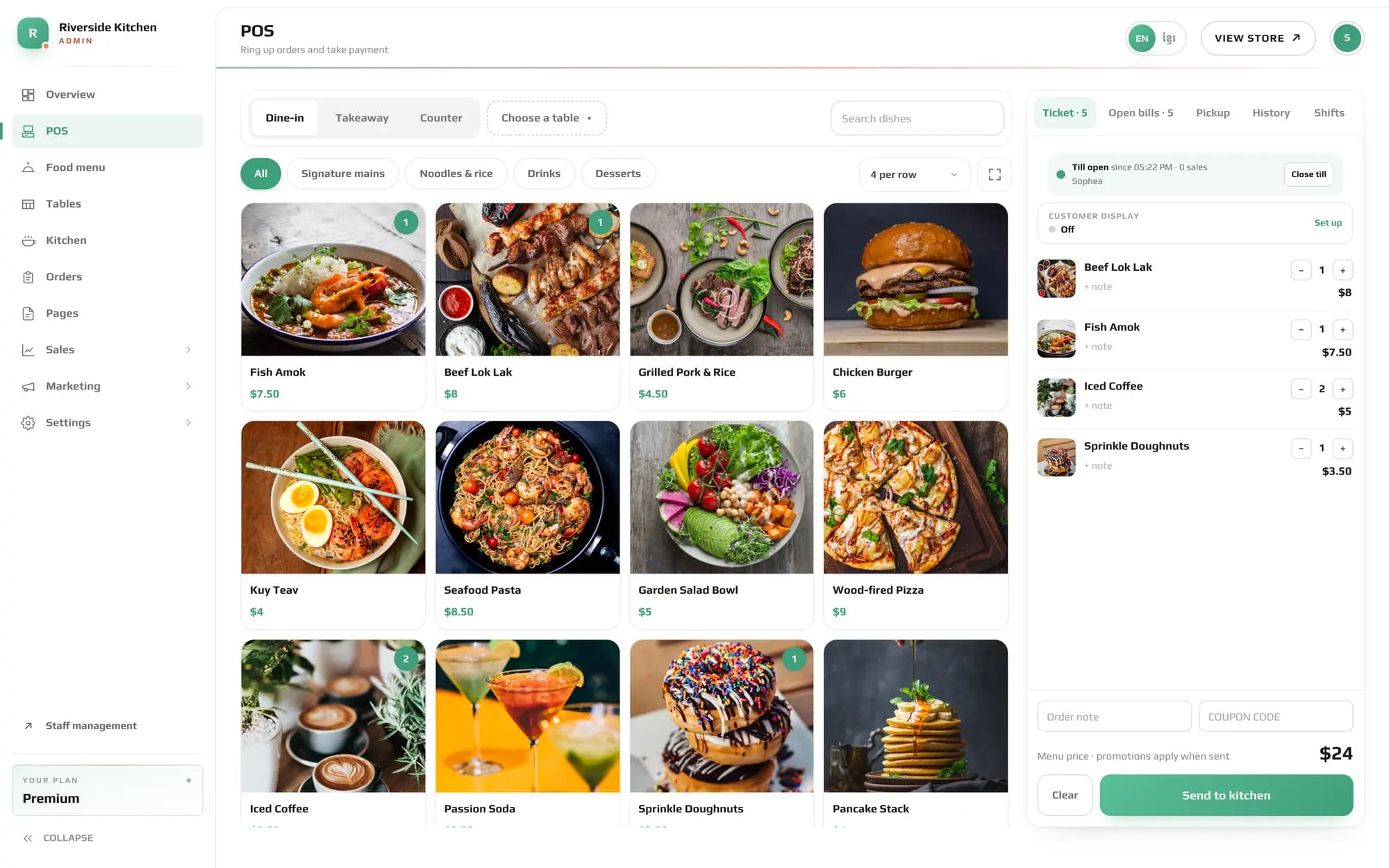
admin · Riverside Kitchen · POS
Tonight at the table: the My Store restaurant POS — dishes with photos, a dine-in ticket and Send to kitchen
01 · THE MENU01

A menu guests can order from

Scan the table QR, explore courses and dishes, and send an order from their own phone.

02 · THE KITCHEN02

Orders arrive while they are fresh

New tickets appear live with the table, items and notes. Move each ticket from new to cooking to served.

03 · THE FLOOR03

Tables and bookings in one view

See what is occupied, free or booked, with the guest’s name, phone number and arrival time.

04 · THE BILL04

Settle up on your guests’ time

Pay for every order already placed, even while a dish is cooking. The kitchen ticket stays open until served.

05 · TABLE MOVES05

Move guests without losing the tab

Transfer active tickets and unpaid balance to another table. Kitchen tickets keep their cooking status and show which table they moved from.

06 · JOINED TABLES06

Join tables under one bill

Choose a lead table for payment. Guests can scan any joined table’s unchanged QR; new tickets go on the shared bill and remain labeled by the table they came from.

THE RESTAURANT POS FLOW

From the first table to the final close.

Keep the whole service connected. Take payment early when guests are ready; unfinished tickets remain active in the kitchen until served.

  1. STEP 01

    Create tables

    Set up the floor and give every table its own QR code.

    TABLES · QR READY
  2. STEP 02

    Join tables

    Choose the payment lead. Guests can scan any joined table’s QR; its orders share one bill and stay labeled by table.

    TB 01 + TB 02 · ONE BILL
  3. STEP 03

    Take an order

    Guests scan the menu and order for the table from their phone.

    TB 01 · 3 ITEMS
  4. STEP 04

    Send to kitchen

    The new ticket reaches the live kitchen board with its notes.

    TICKET D-1048 · LIVE
  5. STEP 05

    Update status

    Move the ticket from new to cooking, then ready to serve.

    NEW → COOKING → READY
  6. STEP 06

    Serve the table

    Mark the ticket served when the dishes reach the guests.

    TICKET · SERVED
  7. STEP 07

    Take payment

    Settle all orders on the table as one clear bill.

    BILL · $48.00 · PAID
  8. STEP 08

    Close the table

    The table is ready for its next guests once service and payment are complete.

    TB 01 · FREE
GET STARTED

Your restaurant POS, ready for service.

CREATE YOUR RESTAURANT STORE
  1. 01Create your accountSign in or create a My Store account to get started.
  2. 02Choose Food & drinkCreate a store, give it a name, and select Food & drink as its type.
  3. 03Set up your floorAdd courses, dishes and tables. Each table gets a QR code for its menu.
  4. 04Start serviceGuests order at the table; follow tickets in Kitchen and settle bills under Orders.
STAFF PORTAL

Your team, under control

One Staff Portal controls the people behind your business: the staff of your store admin and of your staff workspace, with the same login, roles and rules.

The staff of your store adminCashiers, packers and managers who run your online store and POS. Add them, choose what each can see and do, and track their time and pay.
The staff of your workspaceA business with no online store, such as an office, clinic or salon, gets a workspace of its own. Run its team the same way, and add a store later if it grows.

Your team clocks in with a scan. You run the rest.

Hang a QR code by the door: staff scan it, pick their name, type a PIN and they are clocked in, with no app and no sign-in. Clocking out is the same scan. From the admin you plan the week, approve leave, cover a missed shift and close payroll, for one branch or all of them.
  1. STEP 1Scan the QR code at the door
  2. STEP 2Pick your name, type your PIN
  3. STEP 3Clocked in, or out, at that branch
  • You decide who sees what in the admin and the workspace, with roles and per-menu permissions
  • Every branch on its own, or all of them together
  • Works on its own, or alongside your online store
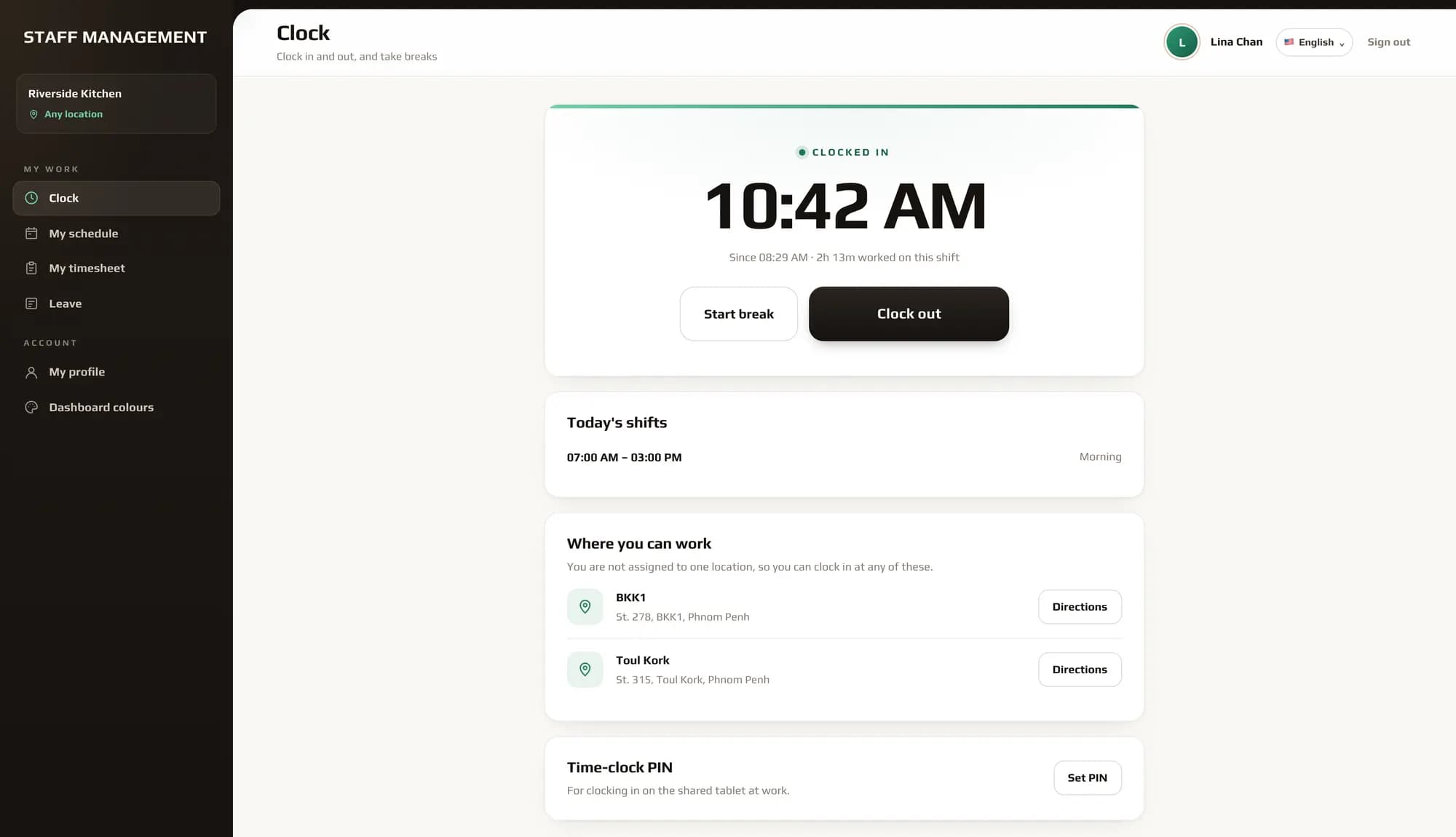
staff · Riverside Kitchen · Clock
The My Store Staff Portal clock: clocked in since 08:28 AM, 2h 13m into the morning shift, with Start break and Clock out
SCAN TO CLOCK IN
Toul Kork
A phone that scanned the Toul Kork QR code: Dara Keo, clocked in at 10:42 AM
Scan the QR code at the door → Pick your name, type your PIN → Clocked in, or out, at that branch
TIME CLOCK01

Clock in and out by QR code

One code per branch, printed or shared. Staff can also use their own phone with a location check, or the shop tablet with a PIN.

SHIFTS02

A week planned in one click

Morning, afternoon and night shifts per branch. Fill the week from regular shifts, then publish it.

COVER & LEAVE03

Leave and covers on the roster

Approved leave shows on the schedule. When someone covers a shift, the pay for it moves with them.

PAYROLL04

Pay that follows the hours

Salaries, deductions and cover adjustments add up into a payroll you review and close each month.

LATENESS05

See who is late, by branch

This month and last, with missed shifts, so a pattern is clear before it becomes a problem.

ALERTS06

Telegram alerts as staff clock in

Connect your Telegram in one tap. No bot to set up; each alert carries a map link to where they clocked in.

ROLES FOR YOUR ADMIN DASHBOARD

Each job sees only its part of the admin

Make a role for each position in the Staff Portal, such as Cashier, Packer or Store manager, and choose which admin dashboard menus it opens. Give it to the people in that job: they sign in to the same admin and see just their screens, nothing else.
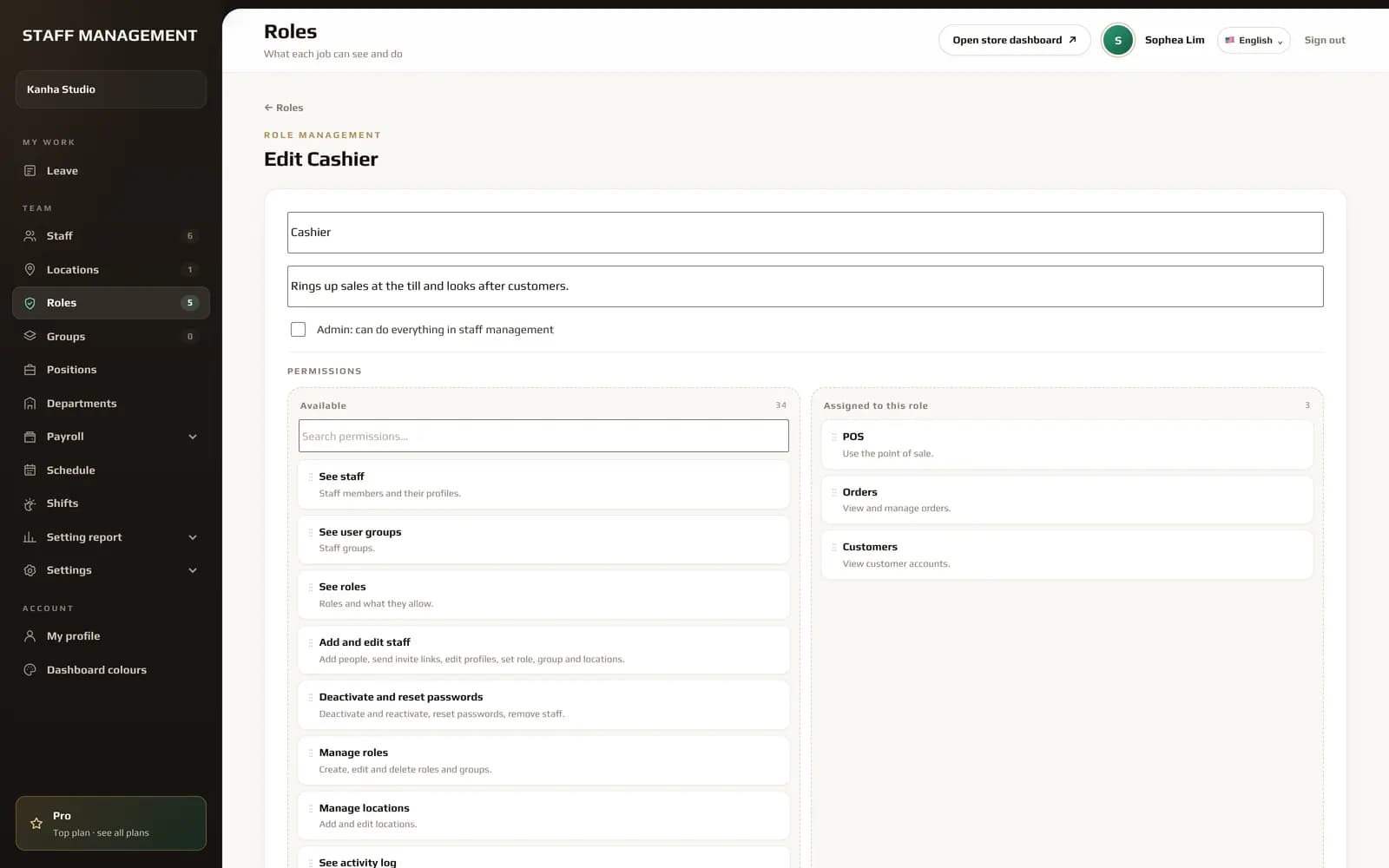
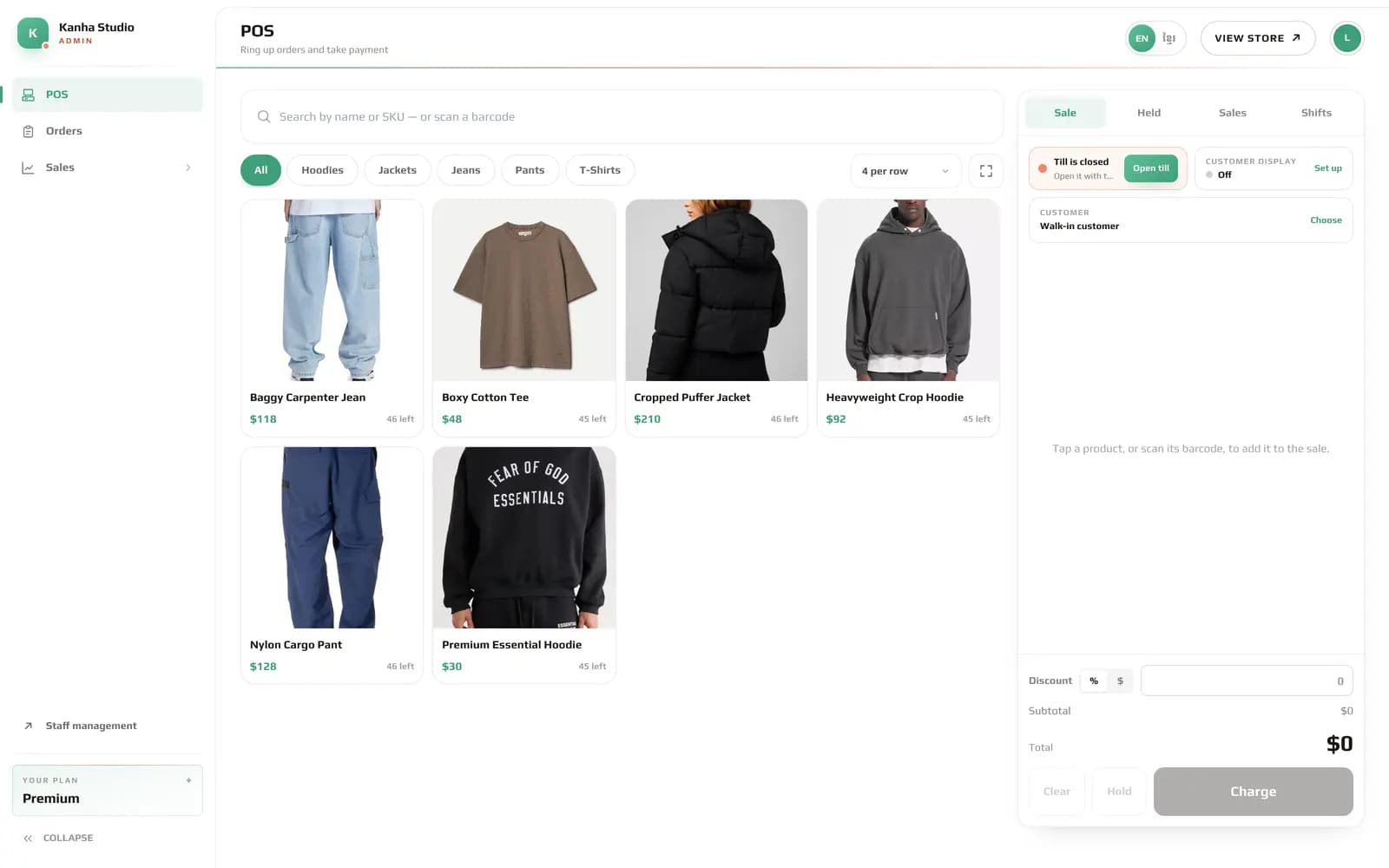
  • CashierPOSOrdersCustomers
  • PackerOrdersBranch stock
  • Store managerOverviewProductsInventoryOrdersReportsPOS refundsStaffSchedules
staff · Kanha Studio · Roles
Editing the Cashier role in the Staff Portal: POS, Orders and Customers assigned
1Set it in the Staff Portal. The Cashier role is given POS, Orders and Customers.
admin · Kanha Studio · POS
The admin dashboard signed in as a cashier: only POS, Orders and Sales are in the menu
2Lina signs in to the admin. As a cashier she sees POS, Orders and Customers, ready to sell, and nothing else.
THE CONSOLE

Run it all from one console

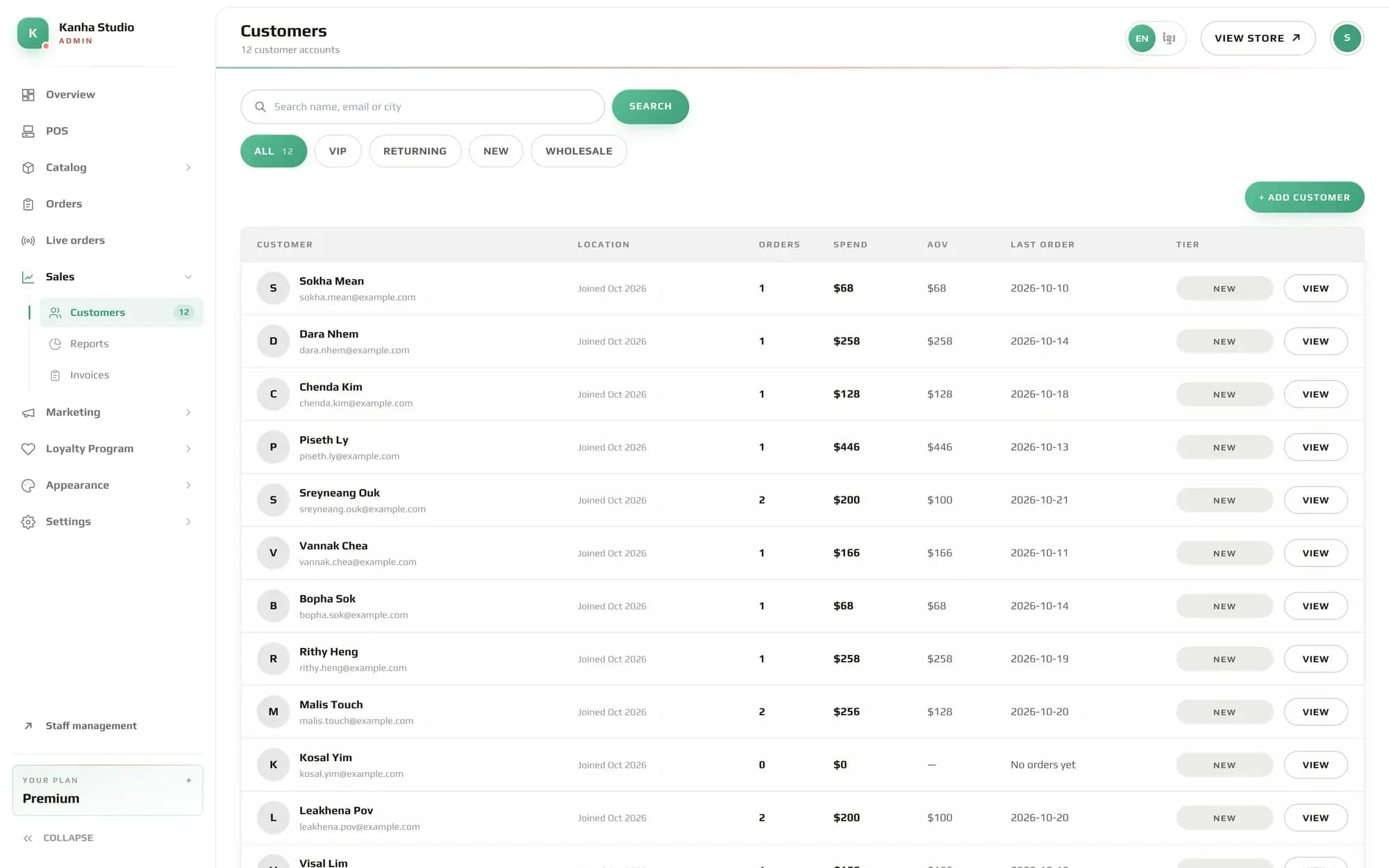
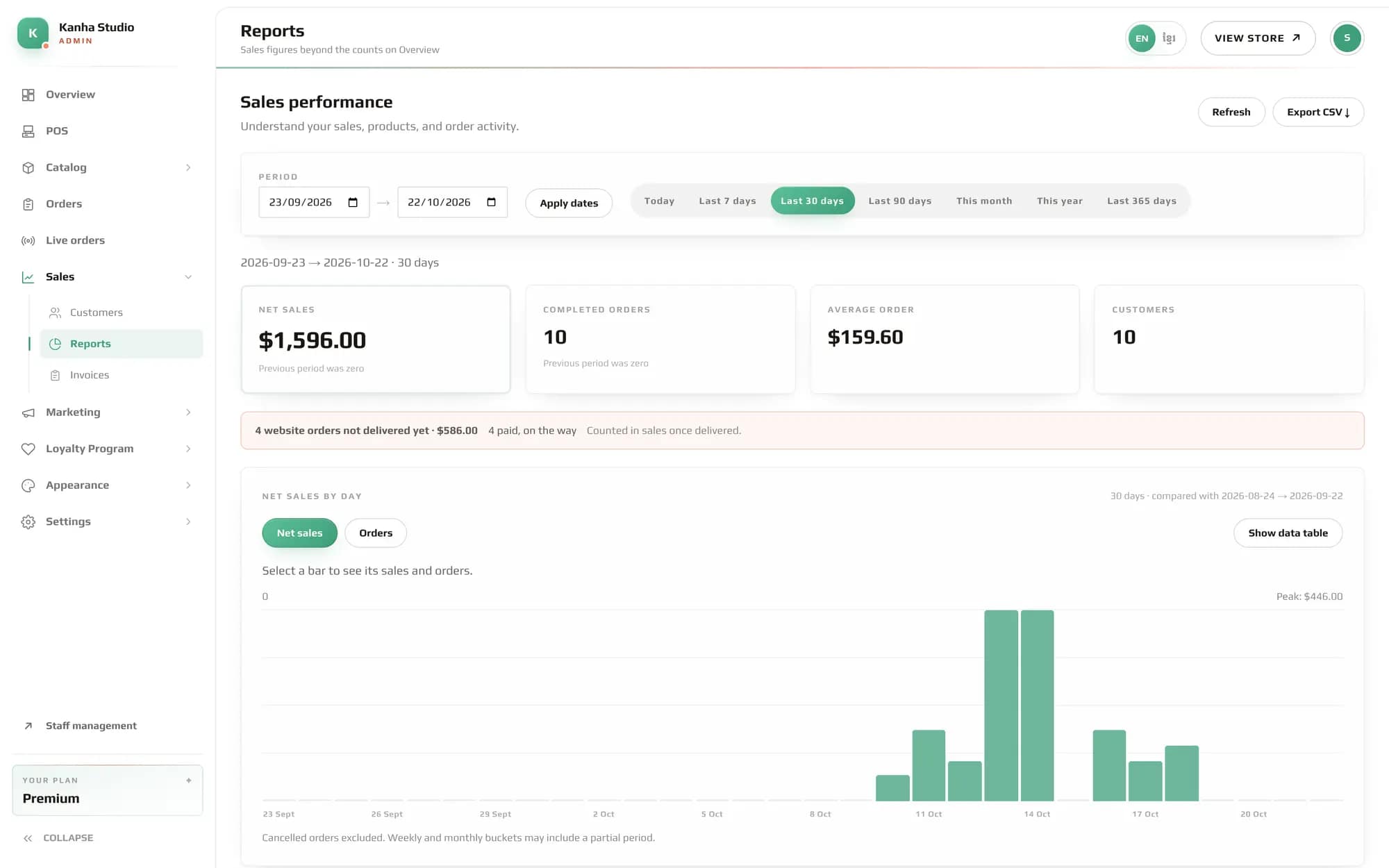
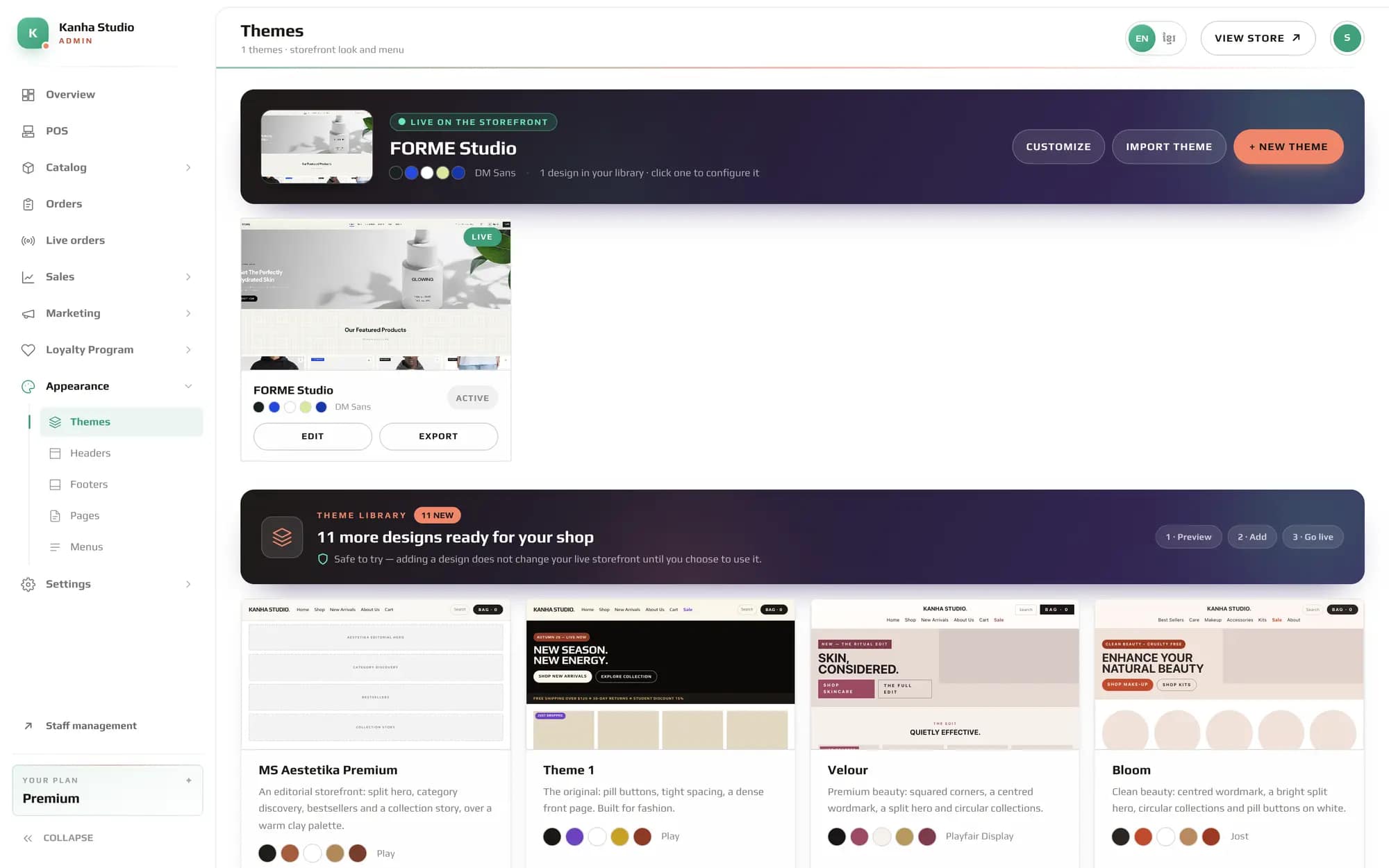
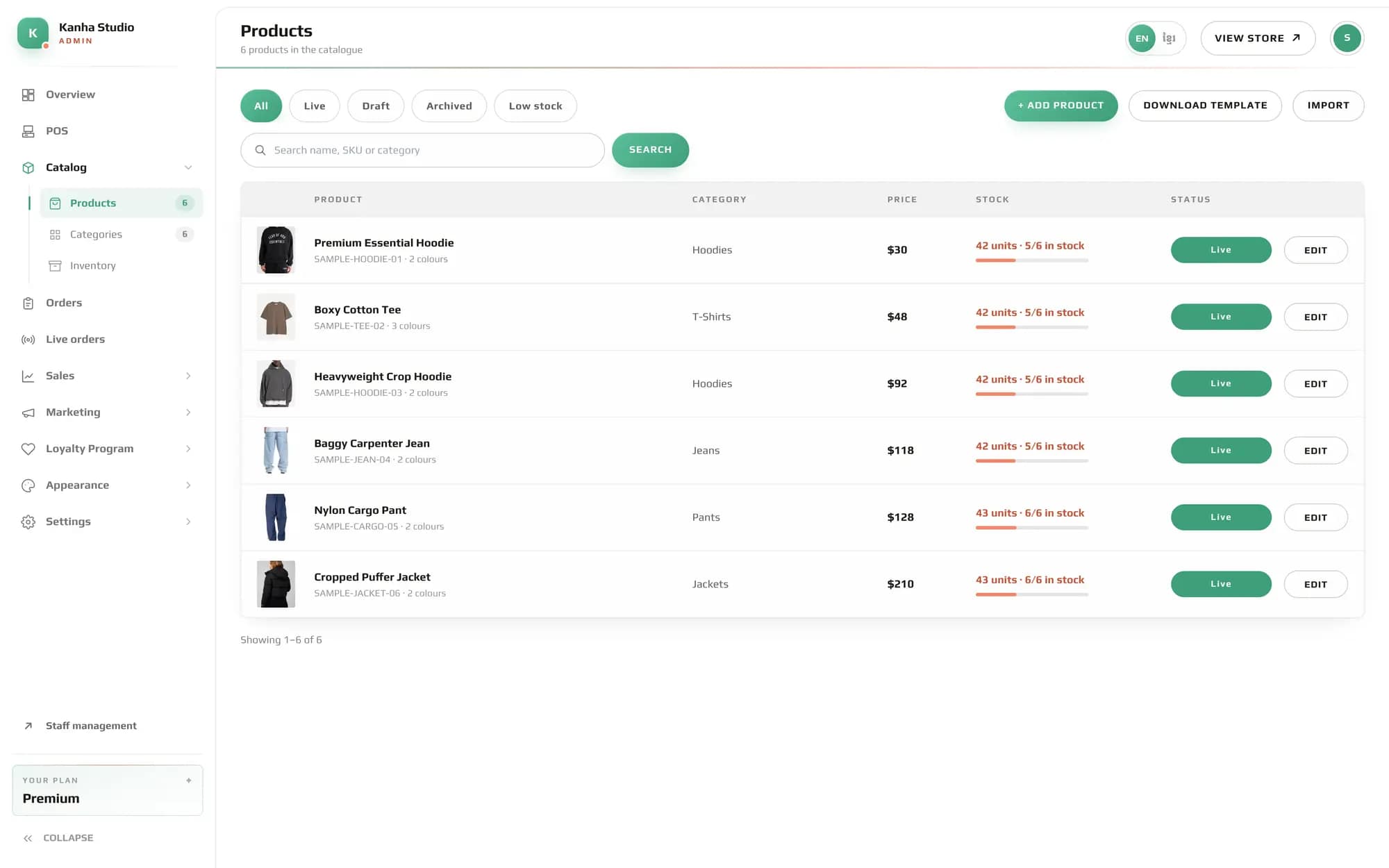
Your whole shop runs from one admin: what sold, what to pack next, who your customers are and how the storefront looks. These are the real screens, from a shop with two weeks of orders.
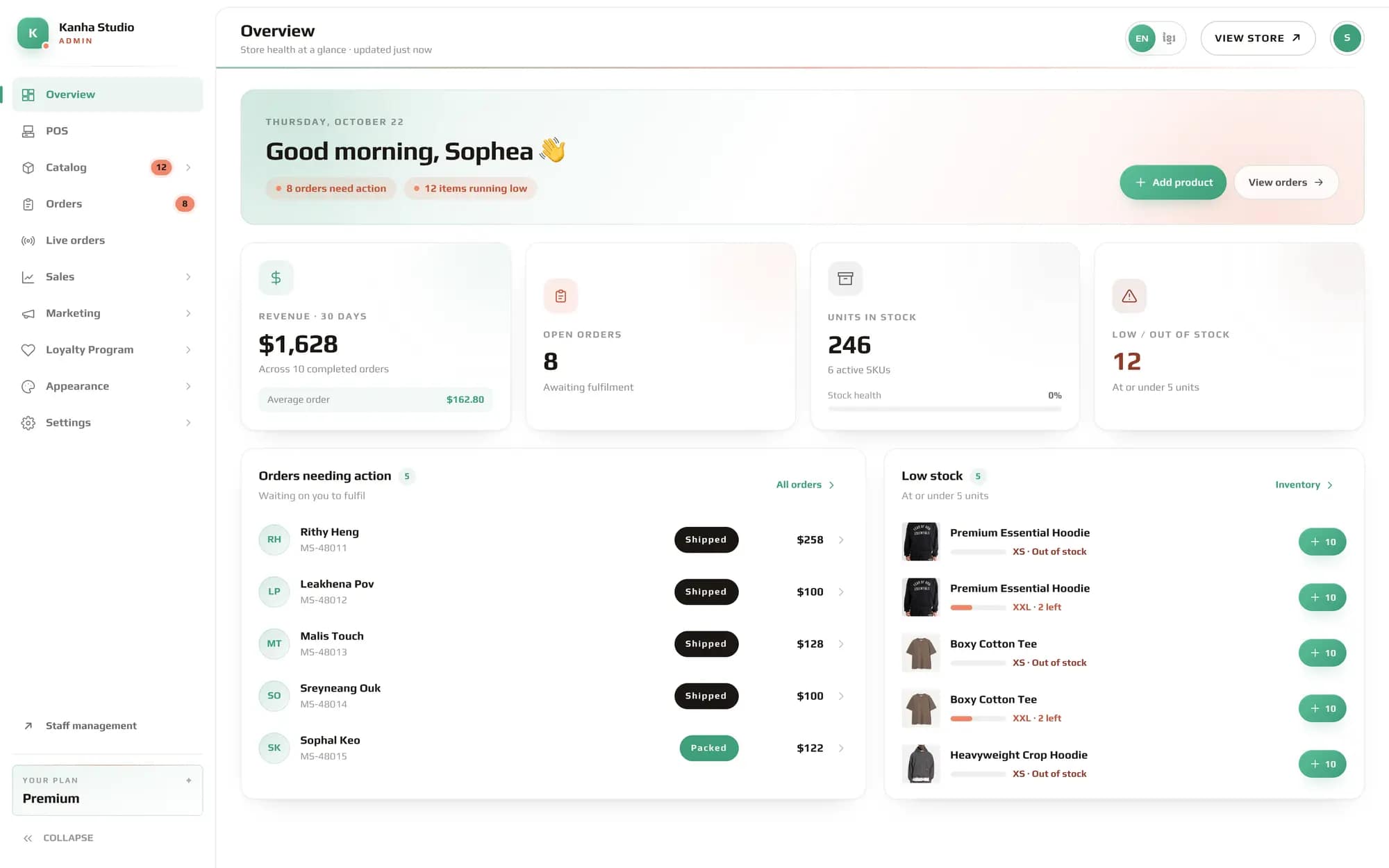
admin · Kanha Studio · Overview
The My Store admin overview: revenue, open orders, stock, orders needing action and low stock
01 / 06 · OVERVIEW

Today at a glance

Open the admin and the day is waiting for you: revenue for the last 30 days, the orders that need you, and the stock that is running low.

  • Revenue, open orders and stock health on one screen
  • Orders needing action, one tap from packing them
  • Low stock flagged, with a quick +10 to restock
  • LANGUAGE01

    Khmer and English

    Each person picks their own language, and can switch at any time.

  • STAFF02

    Each person sees their own work

    Staff accounts with roles, so a cashier sees the till and orders, not your reports.

  • YOUR PLAN03

    Only what you pay for

    The screens your plan includes, nothing more. Upgrade when the shop needs it.

PRICING

One price, every shop you run

Start free. Move up when the shop does — not before.

FREE
Freeforever

Everything the platform does today. Three stores, no charge.

START FREE
STORES
1
PRODUCTS
25
CATEGORIES
4
PAGES
5
ORDERS/MO
20
STAFF
1
CATALOG
  • Inventory tracking
  • Product variants
  • Food menu
  • Import Product
MARKETING
  • Promotions
  • Coupons
  • Orders
  • Live Order + Notification
  • Customer can track order with telegram bot
SALES
  • Point of sale
  • Restaurant tables
  • Kitchen display
  • Invoice Customize
APPEARANCE
  • Theme editing
  • Custom headers
  • Custom footers
  • Custom pages
  • Custom menus
SETTINGS
  • Branches
  • Staff accounts
  • User groups
  • User roles
  • Assign users to groups
  • Custom roles
PLATFORM
  • Custom domain
  • Reports
LOYALTY PROGRAM
  • Referral rewards
PAGE ELEMENTS
  • All 48 elements
BASIC
$3/month

GET STARTED
STORES
1
PRODUCTS
60
CATEGORIES
10
PAGES
10
ORDERS/MO
∞
STAFF
2
CATALOG
  • Inventory tracking
  • Product variants
  • Food menu
  • Import Product
MARKETING
  • Promotions
  • Coupons
  • Orders
  • Live Order + Notification
  • Customer can track order with telegram bot
SALES
  • Point of sale
  • Restaurant tables
  • Kitchen display
  • Invoice Customize
APPEARANCE
  • Theme editing
  • Custom headers
  • Custom footers
  • Custom pages
  • Custom menus
SETTINGS
  • Branches
  • Staff accounts
  • User groups
  • User roles
  • Assign users to groups
  • Custom roles
PLATFORM
  • Custom domain
  • Reports
LOYALTY PROGRAM
  • Referral rewards
PAGE ELEMENTS
  • All 48 elements
MOST POPULAR
STANDARD
$5/month

GET STARTED
STORES
1
PRODUCTS
200
CATEGORIES
30
PAGES
30
ORDERS/MO
∞
STAFF
5
CATALOG
  • Inventory tracking
  • Product variants
  • Food menu
  • Import Product
MARKETING
  • Promotions
  • Coupons
  • Orders
  • Live Order + Notification
  • Customer can track order with telegram bot
SALES
  • Point of sale
  • Restaurant tables
  • Kitchen display
  • Invoice Customize
APPEARANCE
  • Theme editing
  • Custom headers
  • Custom footers
  • Custom pages
  • Custom menus
SETTINGS
  • Branches
  • Staff accounts
  • User groups
  • User roles
  • Assign users to groups
  • Custom roles
PLATFORM
  • Custom domain
  • Reports
LOYALTY PROGRAM
  • Referral rewards
PAGE ELEMENTS
  • All 48 elements
PREMIUM
$9/month

GET STARTED
STORES
1
PRODUCTS
∞
CATEGORIES
∞
PAGES
∞
ORDERS/MO
∞
STAFF
∞
CATALOG
  • Inventory tracking
  • Product variants
  • Food menu
  • Import Product
MARKETING
  • Promotions
  • Coupons
  • Orders
  • Live Order + Notification
  • Customer can track order with telegram bot
SALES
  • Point of sale
  • Restaurant tables
  • Kitchen display
  • Invoice Customize
APPEARANCE
  • Theme editing
  • Custom headers
  • Custom footers
  • Custom pages
  • Custom menus
SETTINGS
  • Branches
  • Staff accounts
  • User groups
  • User roles
  • Assign users to groups
  • Custom roles
PLATFORM
  • Custom domain
  • Reports
LOYALTY PROGRAM
  • Referral rewards
PAGE ELEMENTS

47 of 48 elements

  • Before / after
  • Breadcrumb
  • Button
  • Call to action
  • Card carousel
  • Category filter
  • Category grid
  • Columns
  • Container
  • Customer photos
  • Featured collection
  • Featured dish
  • Filter bar
  • Filter sidebar
  • Food menu
  • Heading
  • Hero banner
  • Hero banner 2
  • Hero banner 3
  • Image
  • Image slider
  • Ingredient showcase
  • Listing header
  • Marquee
  • Mobile chips
  • Mobile greeting
  • Newsletter
  • Other
  • Post card slider
  • Product carousel
  • Product listing
  • Product rails
  • Product results
  • Products
  • Quill editor
  • Restaurant name
  • Roadmap
  • Section
  • Service cards
  • Spacer
  • Store benefits
  • Tabs
  • Text
  • Text card carousel
  • Video carousel
  • Video slider
  • YouTube video

Your storefront is
one name away.

Set it up now — catalogue, theme and admin console included, on an address of your own.

CREATE MY STORE